

Available in beta starting today, we’re releasing major updates to the Steam Community Market to improve item pages, listings, and search/filters. The Community Market enables Steam players to buy and sell in-game and Steam Community items to each other. Over the past few years, the number of games participating in the Market has grown significantly. More than 13,000 games now have Steam Community items available on the Market, and more than 700 have in-game items. These game economies have outgrown the Market’s existing browsing and discovery tools, so it’s time for an upgrade. Our newly expanded tools provide the Market with a deeper understanding of item data from games – so it’s easier to learn about the unique features of items listed for sale, directly on Steam.
Since Counter-Strike items are popular in the Community Market (and a game we work closely with) we’ve used them to experiment and build out this extensive item integration, but we look forward to other games leveraging these same new features.
Here are some noteworthy upgrades:
Sometimes you just need a bigger view, and now you get it! Listings can now feature more images, item descriptions, and callouts for listing specific information such as wear/float, pattern template, applied accessories, etc.
Counter-Strike players will immediately notice the new images generated specifically for that listing, rather than generic images, to showcase each item’s unique features. No more having to fire up the game in order to make your purchasing decision. (Not just new listings! As part of our internal testing we generated over 27,000,000 unique images to backfill existing Counter-Strike listings.)
Once you narrow down to the desired item, you now get a larger listing view, and you can flip through all the matching results, making it easy to compare the variants of a skin in place.
The Market now leverages all these new item details for better filtering, grouping, and visibility, making it easier for you to find what you want.
With a better understanding of attached items like stickers and charms, we link directly to their Market listings. Additionally, we surface that information to show better images and current values.
Games can now feature unique item properties on their listings. For Counter-Strike skins, that means a better view of things like pattern template, wear/float, and charm template.
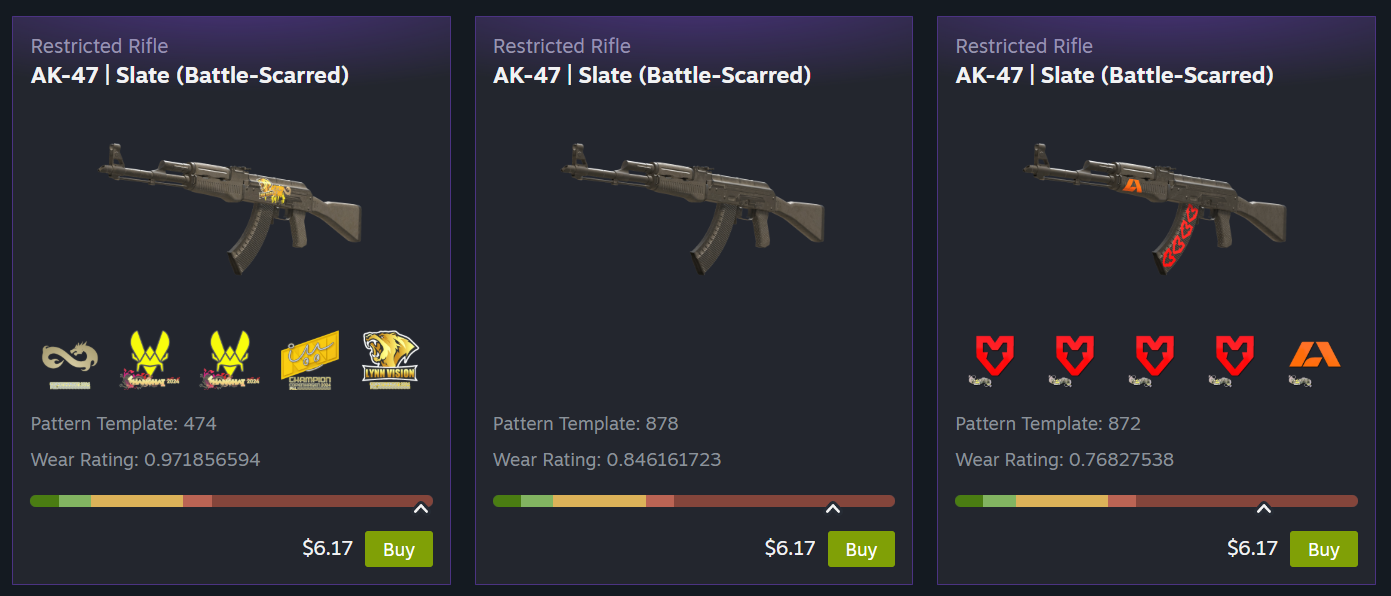
(This additional data from Counter-Strike goes a long way toward making listings more accurate, but it’s extra useful when bubbled up into the filter options. All games using Steam’s Inventory system — which includes most games on the Market — will automatically benefit from dynamic filters based on item data, with no additional work required from developers. Read more about dynamic filters below.)
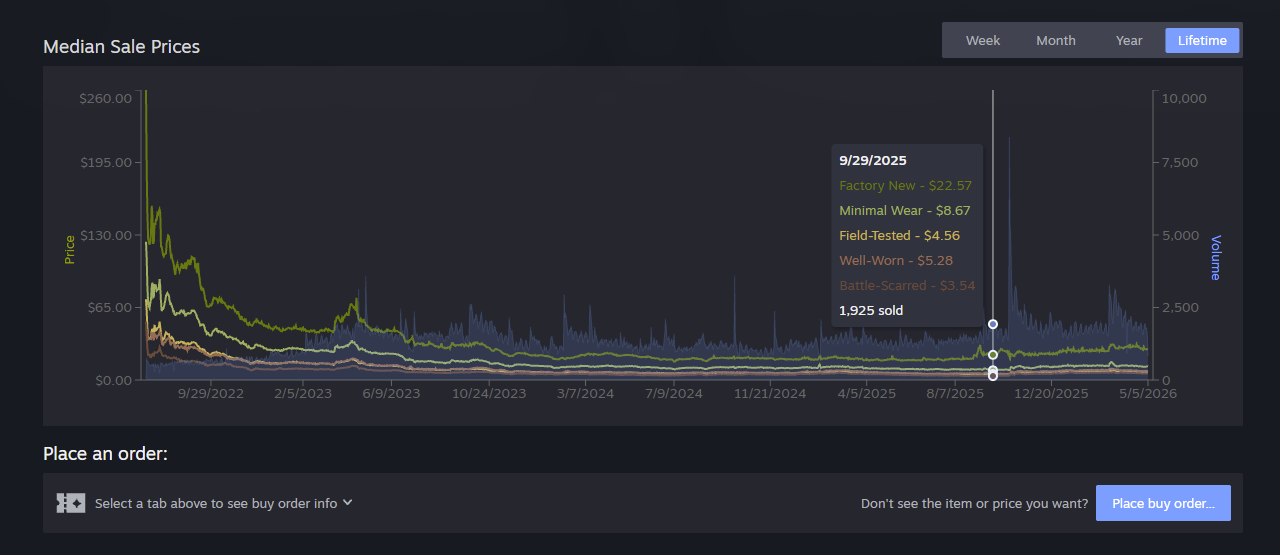
Many Market items are simply variations of the same base item, and we think it’s easier to make your selection when you can easily compare them. For some Counter-Strike skins there might be 10 different versions of an item that vary based on one characteristic. When a game decides to group their items together you’ll find a set of tabs that let you filter them quickly. For Counter-Strike skins you can use the tabs to get a price overview. Hover over the tab to preview that wear level, then click it to filter both the listings and the graph below.
Many of today’s changes require no additional game-specific data to make the Market a better experience for all users and games. We think these updates will feel great across the board, whether you’ve come to window shop or you know exactly what you are looking for.
All the data mentioned above gets shown off on the updated item pages – which have a new, wider layout to accommodate a full-width grid of items for sale.
Here you can take advantage of additional category links, better graphs, and new dynamic filters.
Scroll down to see the new listing cards with larger images, as well as asset and accessory info.
Graphs have also received an overhaul. In addition to many general usability and performance fixes, graphs now display volume data alongside price and can display multiple datasets for grouped items.
If you’ve used the Market lately, you’ve probably seen the new dynamic filters we’ve been beta testing. Those will now appear on both item pages and search pages alongside the new listing cards. Plus you’ll see price filtering and new sorting options like popularity, price, quantity, etc.
These filters are built from existing item data, so you can filter (and sometimes search) against anything we know about. We’ve made searching and filtering faster – changing a filter immediately updates the displayed results (plus they automatically load more when you scroll.)
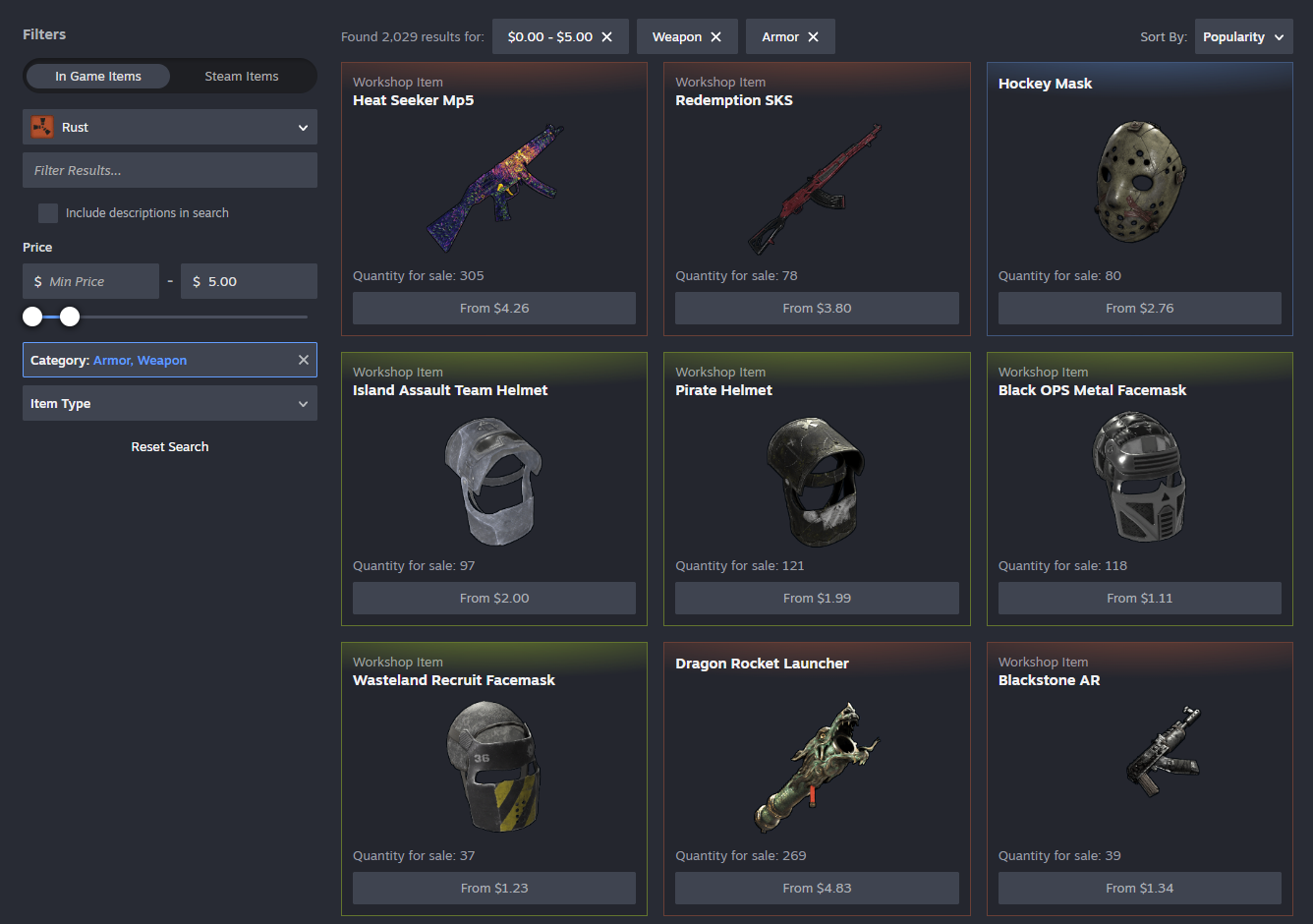
Now it’s easier to switch between in-game items and Steam Community items. Buying and selling Steam Community items such as emoticons, trading cards, or profile backgrounds has been possible on the Market for years, but the relevant filters were hard to find.
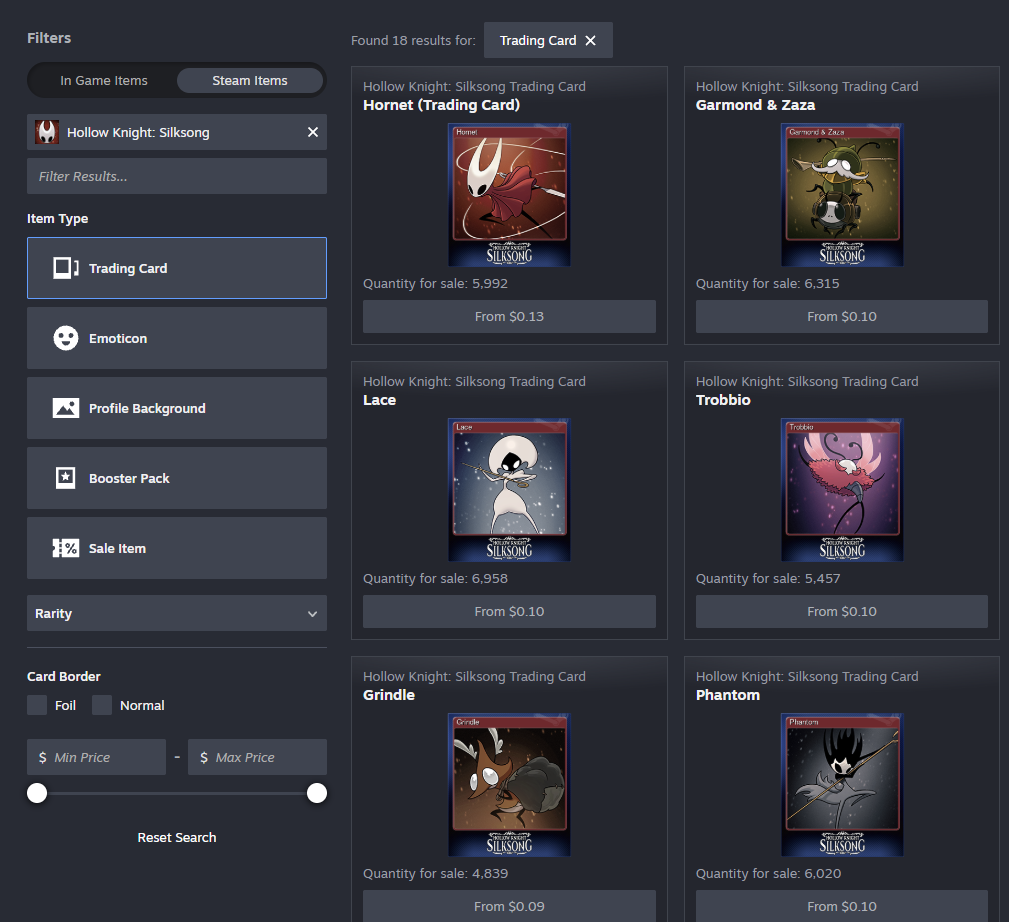
While you’re browsing Trading Card Booster Packs, you might also notice we’re starting to introduce cross-linking between containers and contained items.
These changes are available now, along with smaller quality of life updates such as automatic loading of listings while scrolling, broader access to advanced search from more page headers, breadcrumb navigation, and text entry support across long lists.
All of this work builds upon other features we’ve released over the past year including support for Trade Protected Items, game specific filters, price filtering, search autocomplete, and improving overall reliability.
Where can I find the changes?
Today we’re updating the Community Market’s item pages and search results. We’re learning as we go and this is a great point for us to gather feedback from players and game developers.
How can I join the beta?
You don’t need to! We’re enabling the Market beta for everyone. If you need to opt out, there’s a button at the top of the item and search pages.
Where can I give feedback?
We’re excited to hear what you think in the Steam Community Market discussions.


